
In this digital “new normal,” how can orchestras monetize online performances to offer innovative programming while recreating the exclusivity and intimacy our patrons value in our concert hall performances? On July 6th, OC welcomed Lana Leprich (Tafelmusik Baroque Orchestra), Neil Middleton (Vancouver Symphony Orchestra), and Tricia Baldwin (Isabel Bader Centre for the Performing Arts) to share their experiences, advice, and the future they see for monetizing online content.
An audio recording of this session can be found here.
Read on for a few key learnings from this session:
1. Collaborate!
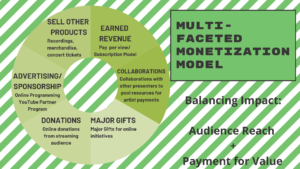 Tricia emphasized the importance of collaboration to expand market access and ensure that artists are paid for their services, especially for smaller organizations and smaller population centres. Partnering with fellow arts organizations, festivals, ensembles, and more helps to pool resources for artist fees, in addition to combining audiences for greater impact.
You can also forge unlikely partnerships to incentivize ticket purchases – such as Tafelmusik’s partnership with a gelato company, offering a treat to enjoy with tickets to their digital events!
2. Where possible, create live or time-restricted events
Lana and Neil emphasized the importance of offering live or time-restricted events as part of selling an experience to potential ticket buyers. This can take the form of a true livestream performance, with musicians playing in real time. If the technical issues stress you out, though, you can pre-record performances to broadcast at a designated time (as Tafelmusik did for their Tafelmusik at Home series).
Tricia highlighted their success in engaging audiences, with the ability to ask questions and react in real time, either via social media tools or through a live Q&A with the performers.
3. Create for the medium, and take sound quality as seriously as your in-person performances
 Tricia offered tips on creating high quality digital content that patrons will want to pay for: 1) High-fidelity sound, with particular attention to excellent source sound, 2) Varying camera angles throughout the performance to keep audiences captivated, and 3) Brighter lighting compared to live performances for better appearance on camera.
For their Bader and Overton Canadian Cello Competition, the Isabel Bader Centre provided a guide to performers for setting up high quality live recording technology in their homes. See the guide here.
4. Test, test, test! Prepare to handle technical difficulties
It is important to test your digital performance on the source and viewer side. Lana recommended testing on a variety of devices – smartphones, computers, tablets, smart TVs, etc – to ensure your content looks and sounds the way you want. All recommended having enough staff support at show time, monitoring and addressing any issues at their source, providing technical support to viewers if needed, and moderating chat and comments.
5. Your digital content may reach audiences beyond where you’d expect
Originally, the Vancouver Symphony predicted that the audience for their Digital Concert Hall would exist predominantly among their existing subscriber base. However, Neil and the VSO found that the audience demographics for their digital performances have gone far beyond typical expectations. He sees digital as an opportunity to reach audiences who would not otherwise travel into the city for a typical concert.
Similarly, Lana remarked that Tafelmusik’s post-concert surveys revealed that 35% of their Tafelmusik at Home patrons were new to Tafelmusik.
6. Different monetization models – Experiment!
There are many ways to approach monetization, and experimentation can help inform your efforts going forward. You may encourage a donation, require purchase of a ticket to access, or some combination of the two – e.g. a virtual “ticket” using a Pay-What-You-Choose model. Tafelmusik used the PWYC model to “test the waters” of digital content monetization – they found that, with options ranging from $5 to $20, the average donation per virtual concert ticket was a solid $13. They will use this data to inform future digital content monetization initiatives.


 Consider: your mission is more important than the traditional ways in which you have been delivering it. The main activities of our orchestras have always been bringing large groups of people together for live performance. But orchestras’ missions are potentially more profound than the tactics used to achieve them. If your mission commits you to delivering community service and community value, can you reimagine what that engagement might look like? Rather than moulding existing activities to fit health restrictions, what would it look like if you exploded your orchestra’s seasons entirely? What might a season of smaller-scale community activities look like? How might you achieve mission-consistent results in a different way?
 Plan for the worst, but be ready for the best. Susan and Bailey emphasized the importance of being agile in planning. They suggested starting with the worst case scenario and building plans up from there. As mentioned before, they suggest planning in rolling quarterly cycles, reassessing upcoming cycles as more information becomes available to you.
 Linda spoke about the three key stages of the pandemic and how each of them will affect orchestras. The first (and current, as we write this) stage is the shutdown. While this phase is about staying visible and close to your audience, it’s also important to think about the monetization of content, so you can sustain the quantity and quality of your output. The second stage will be the transition towards some resuming of activities. With people economically hard-hit by the pandemic, orchestras will need to pivot their activities, and craft a plan that will work in an economy where many are living with reduced means. Stage three is the post-vaccine future. This stage will not, in Linda’s view, be a “return to normal”. Success in stage three will require a thoroughly examination and renovation of existing business models and a genuine commitment to bringing value to the communities we serve.
 Orchestras should consider how emerging gaps in traditional leisure activities might create opportunities, then pivot our programming and promotion to respond. Linda gave the example of orchestras and other cultural activities as potential alternatives to international travel. Orchestras create memorable and transformative experiences, close to home: can we take advantage of this at a time when travel will get more difficult?
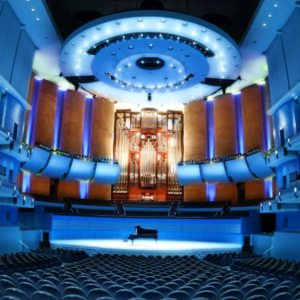 How many musicians can your facilities (hallways, green rooms, dressing rooms, washrooms, stage) safely accommodate, within physical distancing guidelines?
 I use a 2010 MacPro for editing and producing. I’ve found it a great operating system for my creativity, and love its workflow. However, this type of work can be done on either a Mac or PC, and many of the tools I use work on either operating system. My list of tools is not exhaustive, and you’re free to explore the many options out there – there are a ton of great tools, and free ones too! We’ll go through this workflow on both Mac and PC. I’m not a video editor: I’m approaching this more as an audio guy, so if there are people on your team, or yourself that have tips and tricks that are better than these, please use them!
 Clearly define your project goals. Start small, and once you get the hang of it, you’re ready to expand. Try a test project first, which you can do on your own! Some guiding questions:
 In a performance context, we are all synchronized on stage with a conductor, our ears, and our brains; which navigate the sometimes tricky dissonance between what we see, and what we hear. For a “recording session” like this, a well-defined beat that goes WITH the click, is really helpful. We don’t have the benefit of being able to push and pull our timing against our colleagues as we play – but we have a precise click that will keep us all in line as we separately record our music.
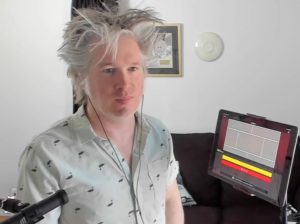 The simplest solution that allows us to collaborate with other musicians is an app called Acapella. You can record a video/audio track, and then record over the top of this up to 8 more times as we listen. By listening to ourselves carefully, we can stay on track, and harmonize and arrange.
 We can also have the music “follow” an existing guide track. Let’s create that music guide, and do a technique called Beat Mapping, or Reclocking in order to match the grid of our project to the ever moving fractional tempo changes of all those individual beats.
 Once we receive submissions from our performers, the EASIEST way to proceed is just to bring them into our video editor, align them, and set up our mosaic. To solve issues of balance, it’s usually best to do some audio editing at this stage, and to make sure that all of our videos are in the same format.